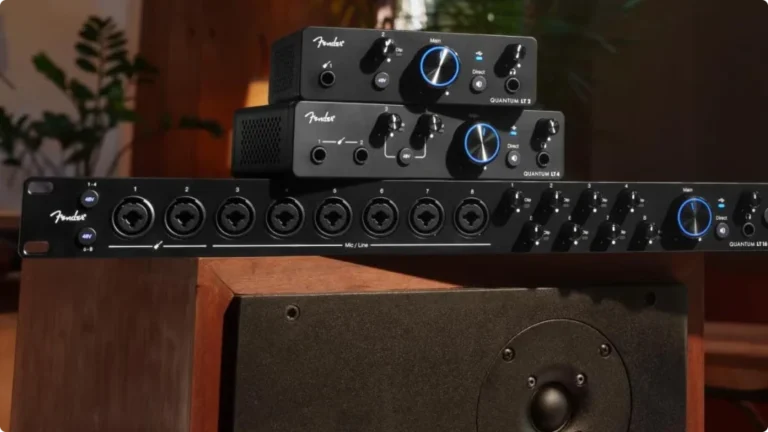
Best Budget Audio Interface (Tested & Reviewed for 2026)
- Audio Interface, Buying Guides
- by Bruno Bontempo
We tested 10 best budget audio interface to find the best value for your studio. See the full reviews and comparisons for Focusrite, MOTU, Audient and more.

Our articles may include affiliate links and we may earn a commission. Here how it works.
Introduction
Achieving great sound doesn’t have to be hard on your wallet. Our new article that you are about to read reveal that budget audio interfaces have improved dramatically over the last few years, with several models delivering professional-grade audio quality at surprisingly affordable prices.
This guide cuts through the marketing hype to show you exactly what these interfaces can (and can’t) do in real-world situations.
In this article, we evaluate 10 current models, focusing on the essential factors that directly impact your recordings: preamp quality, conversion accuracy, build reliability, and practical features.
Each interface in this guide has earned its place by doing really well in specific areas – some offer exceptional preamps, others provide robust build quality, while a few manage to pack premium features into an affordable package. We’ll show you exactly where each model shines and what limitations you might encounter.
Our evaluation process focused on measurable performance metrics and real-world usability. We evaluated noise floors, frequency response, and dynamic range, but also practical aspects like driver stability, ease setup, and reliability under pressure. The results revealed some surprising performers that challenge much more expensive alternatives.
This guide breaks down everything that matters about the best budget interfaces selected – from essential features to potential deal-breakers – helping you make an informed decision based on your specific recording needs and budget constraints.
Let’s dive into what makes these interfaces worth your attention.
QUICK OVERVIEW


TOP PICK
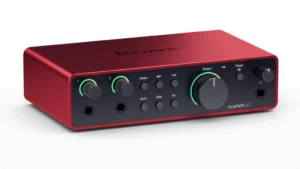
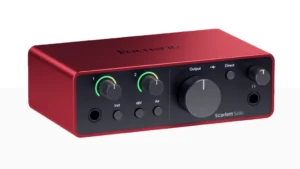
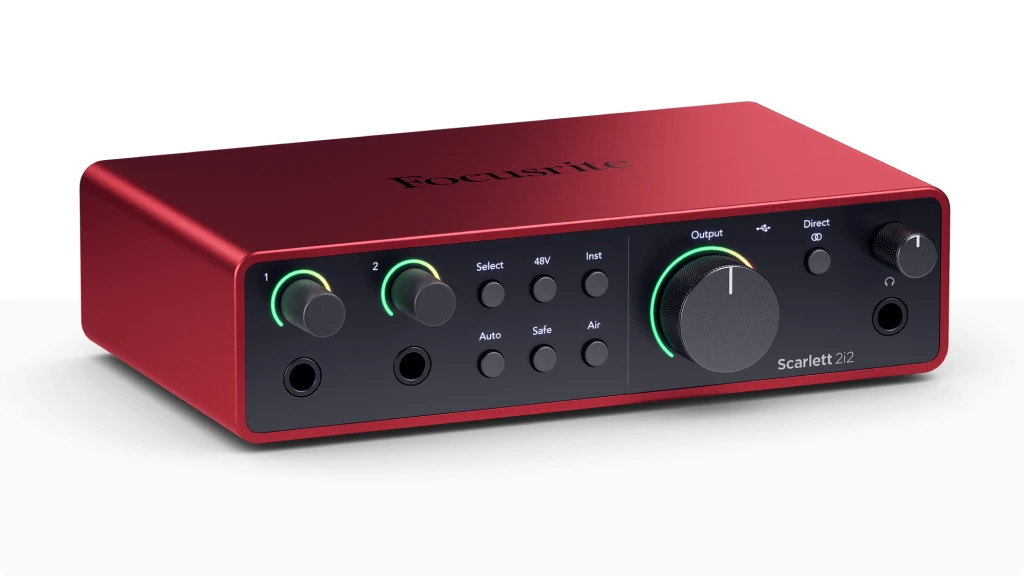
Scarlett 2i2 4th Gen
After having the Scarlett 2i2 4th Gen in my studio for a couple months, I can see why it’s the industry standard. With crystal-clear preamps, robust build quality, and intuitive controls, it’s the perfect balance of professional features and user-friendly design.
| Key Features
- Inputs: 2x XLR/TRS combo + 2x Hi-Z/Line
- Outputs: 2x TRS, 1x Headphone
- Resolution: 24-bit/192kHz
- Compatibility: Windows, Mac, iOS, remote control with iOS and Android
- Plus: Air Mode, Auto Gain, Loopback feature, software bundle.
| Best for
- Recording acoustic instruments with condenser mics (thanks to high-quality preamps)
- Streaming with dual audio sources (mic + instrument) using loopback feature
- Singer-songwriters recording guitar and vocals simultaneously
- Content creators needing easy integration with streaming software
- Mobile recordists who value pristine preamp quality
| Not ideal for
- Users needing more than two simultaneous inputs
- Users requiring MIDI connectivity or ADAT expansion
- Budget-conscious beginners who won't utilize advanced features
READ FULL REVIEW
Overview: After recording with Scarlett 2i2 4th Gen, I can confidently say it’s a significant upgrade from its 3rd Gen predecessor. The preamps are noticeably cleaner, providing up to 56dB of gain that’s perfect for demanding microphones.
The new Auto Gain feature is a game-changer for beginners, automatically setting optimal levels for your recordings. As always, just like other Focusrite models, the Air mode added a nice brightness to vocal recordings, similar to what you’d get from a high-end preamp.
The built-in loopback feature proved invaluable for streaming and podcast production, allowing easy routing of computer audio alongside mic inputs.
💎 Why to buy:
The Scarlett 2i2 4th Gen is the best budget audio interface for content creators who need professional sound quality without complexity. Its versatile inputs handle everything from condenser mics to electric guitars with exceptional clarity. The improved preamps and Air mode deliver studio-quality recordings, while the intuitive interface makes it perfect for both beginners and experienced users.
Premium Choice
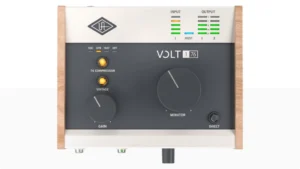
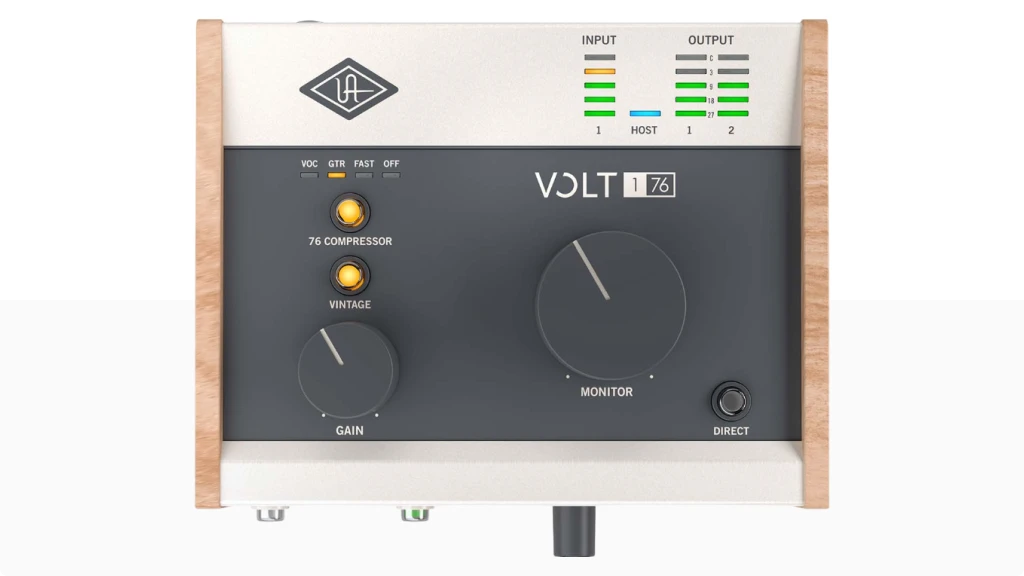
Universal Audio Volt 176
The Volt 176 brings Universal Audio’s legendary sound quality to the budget segment. This interface sets itself apart with its vintage preamp mode, which adds character to your recordings without costing a fortune.
| Key Features
- Inputs: 1x XLR/TRS/Hi-Z combo
- Outputs: 2x TRS, 1x Headphone
- Resolution: 24-bit/192kHz
- Compatibility: MacOS, Windows, iPad, iPhone
- Plus: Vintage Preamp Mode, compressor, MIDI I/O, software bundle
| Best for
- Vocal recording requiring vintage tube warmth (via Vintage mode)
- Music producers wanting subtle compression on beat-making
- Voice-over artists seeking character in their recordings
- Guitar and bass players who need tube-style saturation
- Solo performers requiring built-in compression
| Not ideal for
- Podcasters who need multiple mic inputs
- Setups needing dual headphone outputs
- Projects requiring extensive I/O options
Overview: The Volt 176 was a revelation. The vintage mode, inspired by UA’s classic 1176 compressor, adds a nice warmth to the tone that’s particularly flattering on vocals and acoustic instruments. I found the built-in compressor incredibly musical – it tames peaks without squashing the life out of your recordings.
Testing the compressor to record bass was great, as you probably know, compressors are a bass player’s best friend. It worked really well removing those peaks and levelling out the famous 5th string that sounds different from the other strings.
The build quality is great us with its solid metal construction and vintage-style VU meter, which isn’t just for show – it provides accurate visual feedback of your levels. The preamp delivers clean gain when you want it, but hit the vintage switch, and you get that classic analog character that’s usually reserved for much more expensive gear. If you need more inputs, check Volt 2.
👉 Why to buy:
Choose the Volt 176 if you want premium sound quality and collored character in an affordable package. It’s a perfect budget audio interface for solo performers and content creators who value sound quality over multiple inputs. The combination of clean preamps, vintage mode, and built-in compression makes it an excellent choice for achieving professional-sounding recordings right out of the box.
Budget Basic
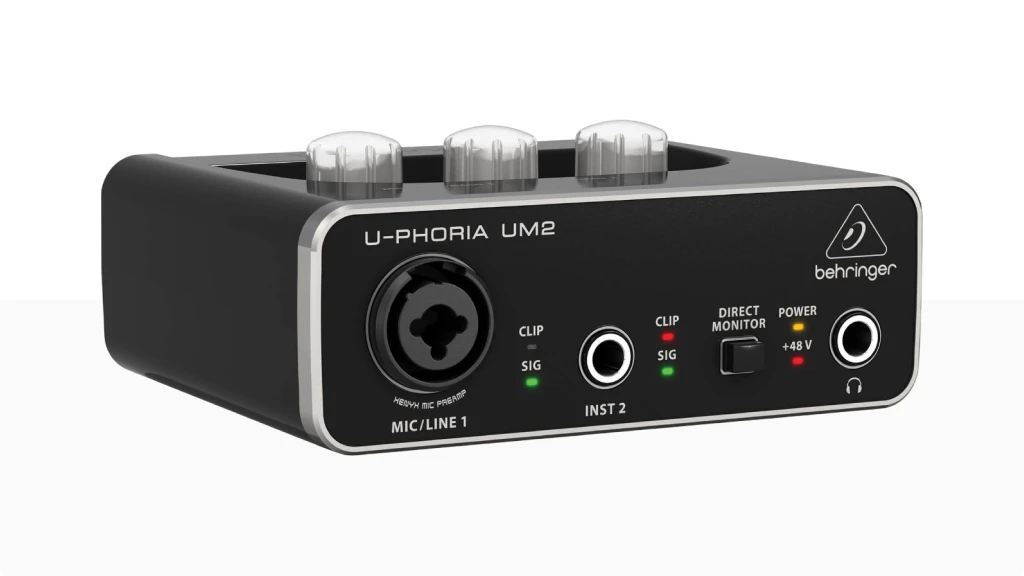
Behringer U-Phoria UM2
The U-Phoria UM2 proves that quality audio doesn’t have to be expensive, on the opposite. This compact interface delivers the essentials without unnecessary bells and whistles.
| Key Features
- Inputs: 1x XLR/TRS combo + 1x Hi-Z
- Outputs: 2x RCA, 1x Headphone
- Resolution: 16-bit/48kHz
- Compatibility: Windows, Mac
- Plus: Direct monitor, phantom power
| Best for
- Bedroom musicians recording their first demos
- Single-mic podcasters and streamers
- Guitar players needing a basic DI solution
- Casual voice chat and online gaming
- Simple vocal practice monitoring
| Not ideal for
- Recording loud sources (limited headroom)
- Professional recording
- Projects requiring 24-bit quality
READ FULL REVIEW
Overview: In our testing, the UM2 surprised us with its capability at this price point. The preamp is cleaner than you might expect, providing enough gain for most dynamic microphones. The direct monitoring feature is particularly useful, allowing you to hear yourself without latency while recording.
While the plastic construction doesn’t feel as premium as more expensive interfaces, it’s sturdy enough for home studio use. The simple layout makes it incredibly easy to use – perfect for beginners who don’t need advanced features.

Beginner Friendly
M-Audio M-Track Duo
The M-Track Duo represents M-Audio’s commitment to making quality recording accessible. With its crystal-clear preamps and modern USB-C connection, it’s a perfect entry point into the world of audio recording.
| Key Features
- Inputs: 2x XLR/TRS/Hi-Z combo (switchable)
- Outputs: 2x TRS, 1x Headphone
- Resolution: 16-bit/48kHz
- Compatibility: Windows, Mac
- Plus: USB-C, Crystal Preamps, software bundle
| Best for
- YouTube creators needing USB-C connectivity
- Online music teachers recording demos or lessons
- Small home studio producers starting their first setup
- Streamers broadcasting with mic and instrument
- Remote collaboration sessions requiring reliable drivers
| Not ideal for
- High-resolution audio projects (limited to 48kHz)
- Users needing advanced routing options
- Recording drum kits or loud sources
Overview: During our sessions, the M-Track Duo proved itself as a capable performer. The Crystal preamps provide nice clear sound, offering enough gain for most dynamic and condenser microphones. The USB-C connection ensures stable performance and easy compatibility with modern computers.
What was particularly cool was the build quality at this price point. The metal chassis feels substantial, and the gain knobs have a smooth, precise action. The combined XLR/TRS inputs are versatile, handling everything from microphones to line-level instruments with ease. If you need only one input, check M-Track Solo for more basic need.
Value Choice
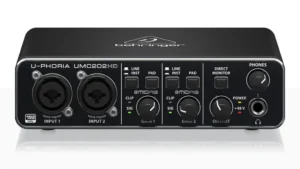
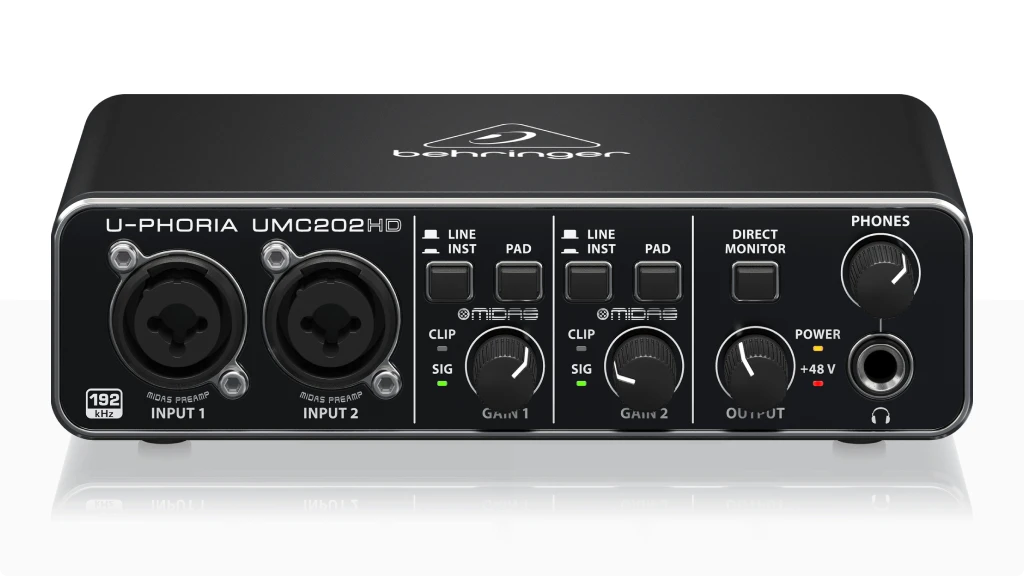
Behringer U-Phoria UMC202HD
Building on Behringer’s reputation for value, the UMC202HD brings MIDAS preamp technology to an incredibly affordable price point. This interface proves that professional features don’t have to max out your budget.
| Key Features
- Inputs: 2x XLR/TRS/Hi-Z combo
- Outputs: 2x TRS, 1x Headphone
- Resolution: 24-bit/192kHz
- Compatibility: Windows, Mac
- Plus: MIDAS Preamps
| Best for
- Budget-conscious duos recording vocals and guitar
- Home studio owners needing MIDAS preamp quality
- Podcasters requiring two XLR inputs
- Musicians recording in 24-bit/192kHz on a budget
- Mobile recordists needing rugged construction
| Not ideal for
- Users requiring iOS compatibility
- Setups needing advanced monitoring features
- Recording setups needing MIDI
Overview: Testing the UMC202HD revealed impressive capabilities that exceed its price point. The MIDAS-designed preamps deliver clear, detailed sound with minimal noise – a remarkable achievement at this price level. During our vocal recording tests, we found the preamps provided ample headroom and maintained clarity even with gain-hungry microphones.
The direct monitoring feature proved especially useful for recording with zero latency, and the pad switches on each input channel add versatility when recording loud sources. The metal construction feels solid and ready for regular use. You can check also its bigger sibling Behringer U-Phoria UMC204HD for extra features in a budget.
🎧 Why to buy:
Choose the UMC202HD if you want professional features at an entry-level price. The combination of MIDAS preamps, high sample rate support, and robust build quality makes it an excellent value proposition. It’s particularly well-suited for home recording enthusiasts who need reliable performance without spend a lot.
Content Creator
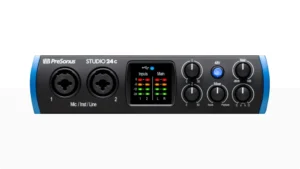
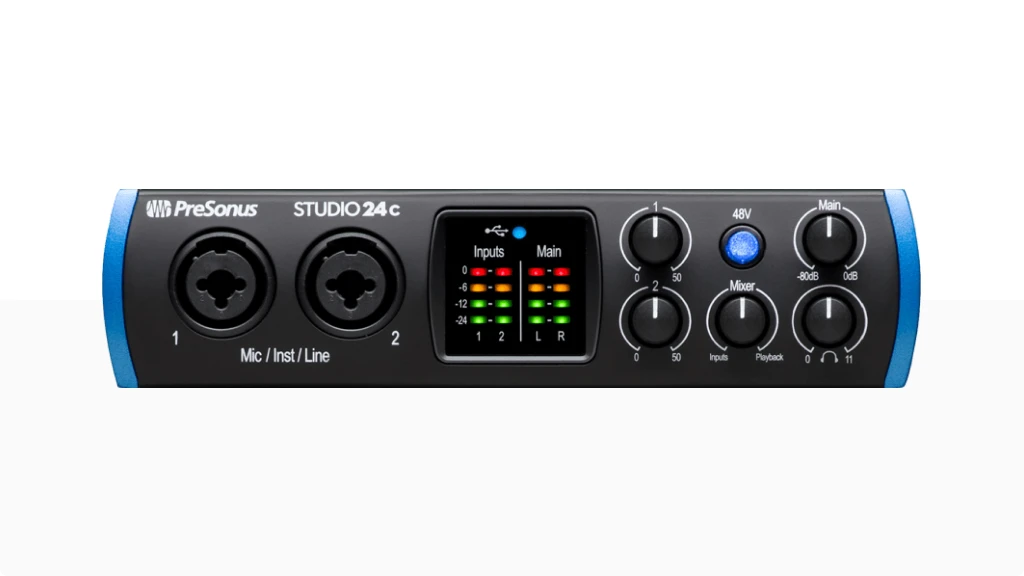
PreSonus Studio 24c
The Studio 24c Draws attention as a content creator’s dream with its intuitive mixer control and professional-grade conversion quality. PreSonus has packed this interface with features that streamline the recording process.
| Key Features
- Inputs: 2x XLR/TRS/Hi-Z combo
- Outputs: 2x TRS, 1x Headphone
- Resolution: 24-bit/192kHz
- Compatibility: Windows, Mac
- Plus: MIDI I/O, software bundle trial
| Best for
- Streamers needing reliable mixing control
- Podcasters requiring Studio One integration
- Musicians using PreSonus ecosystem
- Mobile recordists needing robust drivers
- Content creators using multiple DAWs
| Not ideal for
- Users wanting simple plug-and-play operation
- Projects needing extensive routing options
- Recording with multiple monitor outputs
Overview: Studio 24c revealed excellent audio quality and thoughtful design choices. The preamps delivered nice, transparent sound, while the mixer control software provided intuitive routing options.
The LED meters were particularly helpful, offering clear visual feedback of input and output levels.
The included Studio One Artist DAW trial adds some value, providing a professional recording environment right out of the box, and if don’t want to spend money with subscriptions, you can always use Reaper. During our streaming tests, the low-latency monitoring proved invaluable for real-time performance and improved gaming audio quality for broadcast.
Check also the cheaper Presonus Audiobox USB 96 if you need more basic features.
🎙️ Why to buy:
The Studio 24c is the best budget audio interface for content creators who need reliable performance and intuitive control. Its combination of professional audio quality, easy-to-use software, and robust construction makes it perfect for streaming and podcast production. The included (6 months trial) Studio One Artist software provides everything needed to start creating professional content immediately.
Portable Pro
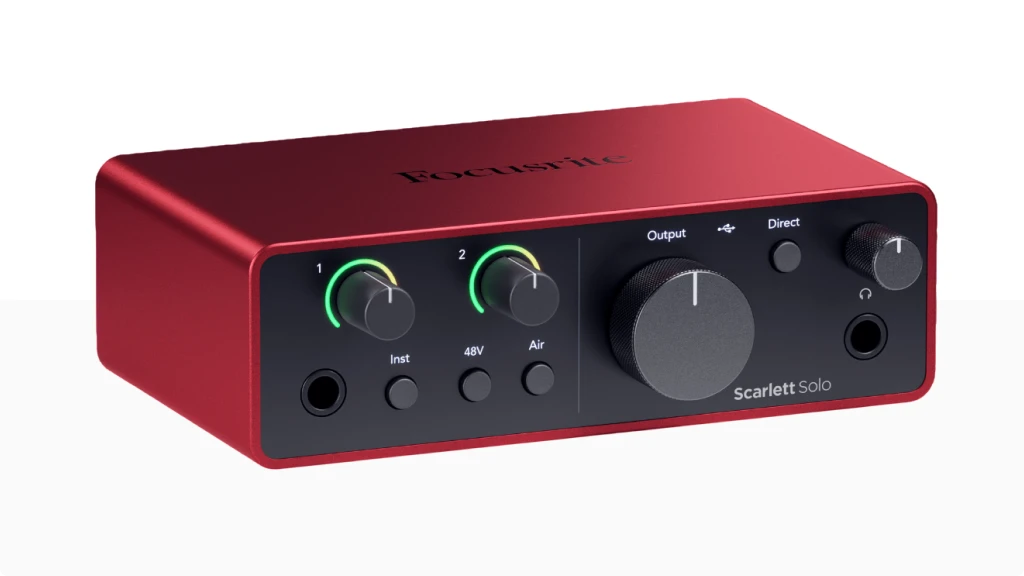
Scarlett Solo 4th Gen
The Scarlett Solo 4th Gen brings Focusrite’s renowned quality to a compact, single-input format. It’s the perfect choice for musicians and content creators who prioritize portability without sacrificing sound quality.
| Key Features
- Inputs: 1x XLR, 1x TRS
- Outputs: 2x TRS, 1x Headphone
- Resolution: 24-bit/192kHz
- Compatibility: Windows, Mac, remote control with iOS and Android
- Plus: Air Mode, Auto Gain, software bundle
| Best for
- Solo vocalists using demanding condenser mics
- Travel recordists needing Air mode for vocals
- Guitarists requiring high-impedance input
- Streamers with single-mic setups
- Voice-over artists using Auto Gain feature
| Not ideal for
- Duos needing simultaneous recording
- Setups needing multiple monitor options
- Projects requiring extensive I/O
Overview: In my testing, the Solo 4th Gen showed why it’s a favorite among mobile creators. The preamp quality matches its larger siblings, delivering clean, detailed sound with the signature Air mode adding professional-grade presence. The Auto Gain feature proved particularly useful for quick setup in changing environments.
The build quality is exceptional, with a durable metal chassis that’s still lightweight enough for portable use. The updated gain halos provide clear visual feedback, making it easy to set proper levels even in challenging lighting conditions.
👌 Why to buy:
Scarlett Solo 4th Gen is for you if you need professional sound quality in a portable package. It’s the perfect budget audio interface for solo performers, podcasters, and content creators who value mobility. The combination of premium sound quality, robust build, and intuitive features makes it an excellent choice for high-quality recording on the go.
READ FULL REVIEW
All-Rounder
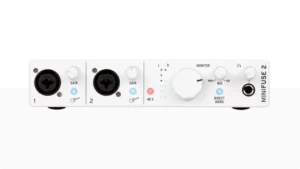
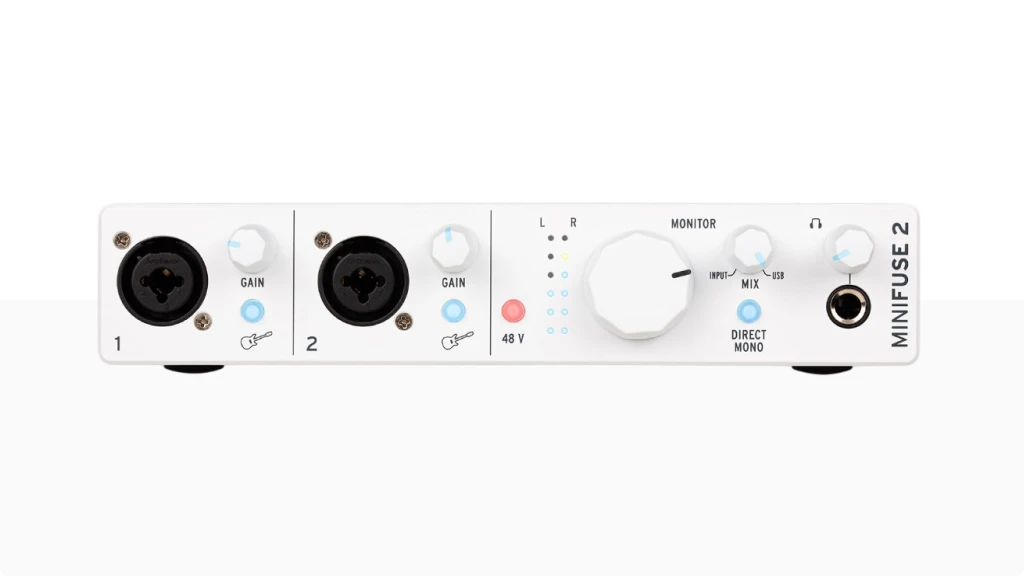
Arturia MiniFuse 2
The MiniFuse 2 showcases Arturia’s innovative approach to audio interface design. With its built-in USB hub and comprehensive software bundle, it offers more than just audio recording capabilities.
| Key Features
- Inputs: 2x XLR/TRS/Hi-Z combo
- Outputs: 2x TRS, 1x Headphone
- Resolution: 24-bit/192kHz
- Compatibility: Windows, Mac
- Plus: USB Hub, MIDI I/O, software suite
| Best for
- Producers using multiple USB devices (built-in hub)
- Beatmakers using MIDI controllers
- Home studios needing software integration
- Streamers requiring comprehensive routing
- Musicians using virtual instruments
| Not ideal for
- Users seeking simple analog operation
- Projects requiring standalone mode
- Settings needing multiple headphone outputs
Overview: I owned a MiniFuse 2 for a couple years and I ensure it’s a versatile and reliable performer. The preamps delivered great, detailed sound across various sources, from sensitive condenser mics to high-output instruments. The built-in USB hub proved incredibly useful, allowing us to connect MIDI controllers and storage devices without additional adapters.
I used MiniFuse 2 (also the 1) mostly for MIDI creations with my Arturia MiniLab 3 controller, but also to record the bass tracks for my band latest single.
The included software bundle is particularly impressive, featuring Arturia’s Analog Lab Lite and a selection of professional effects plugins. The loopback feature worked flawlessly for streaming and podcast production. A more affordable option would be the MiniFuse 1.
🎤 Why to buy:
The MiniFuse 2 is the best audio interface for creators who need a versatile interface that can handle various recording scenarios. Its combination of quality preamps, useful features, and comprehensive software bundle makes it an excellent value proposition. The USB hub adds significant convenience for studio setups.
Studio Quality
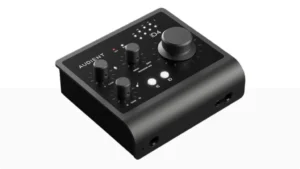
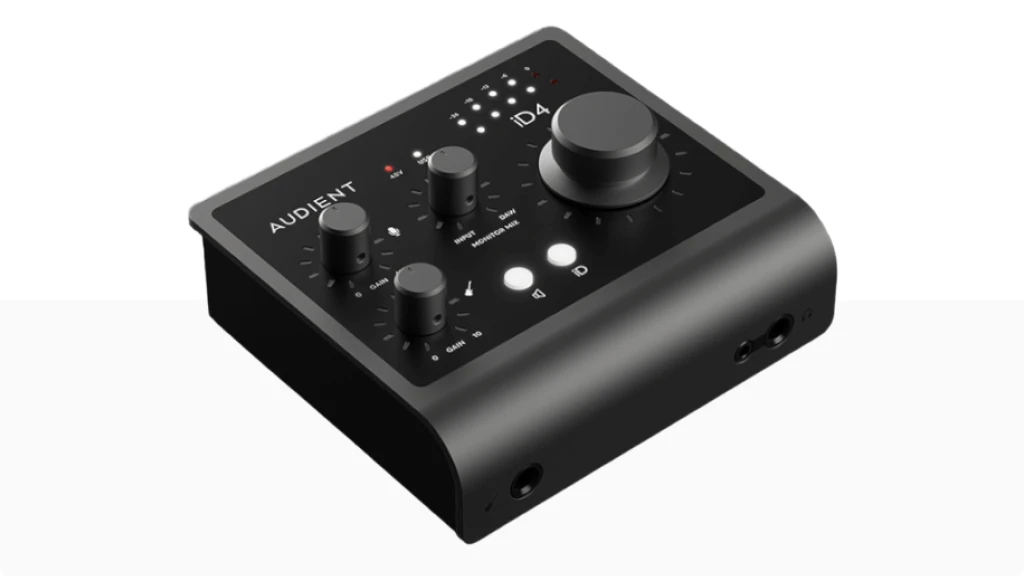
Audient iD4 MKII
The iD4 MKII brings Audient’s console-grade preamp technology to a compact interface format. Its unique ScrollControl feature and exceptional build quality set it apart in the budget interface market.
| Key Features
- Inputs: 2x XLR, 1x TRS/Hi-Z JFET
- Outputs: 4x TRS, 2x Headphone (1/4” and 1/8”)
- Resolution: 24-bit/96kHz
- Compatibility: Windows, Mac, iOS
- Plus: ScrollControl, Console Preamp, ADAT and SPDIF support
| Best for
- Mix producers using ScrollControl feature
- Critical listeners needing console-grade preamps
- Voice-over artists requiring pristine clarity
- Guitar players needing high-quality DI
- Professional mobile recording
| Not ideal for
- Users needing multiple mic inputs
- Projects requiring higher sample rates
- Budget-focused beginners
Overview: I loved to be able to use iD4 MKII in a guitar and vocal recording section a few months ago. It was my first contact with this interface ant it revealed itself an exceptional piece, providing audio quality that rivals much more expensive interfaces.
The console-grade preamp delivered remarkably clean and detailed sound, while the JFET DI input added wonderful character to direct guitar and bass recordings. The ScrollControl feature proved surprisingly useful for mixing, turning the volume knob into a virtual scroll wheel for plugin parameters.
The all-metal construction showcases quality, and the smooth-turning knobs provide precise control. The dual headphone outputs – one on the front and one on the back – add flexibility for different studio setups.
💡 Why to buy:
Choose the iD4 MKII prioritizes sound and build quality in a compact format. It’s the best budget audio interface for professionals who need portable gear that doesn’t compromise on audio quality. The unique ScrollControl feature and dual headphone outputs make it particularly suitable for mixing and production work.
Pro Features
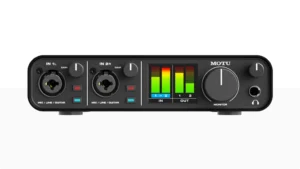
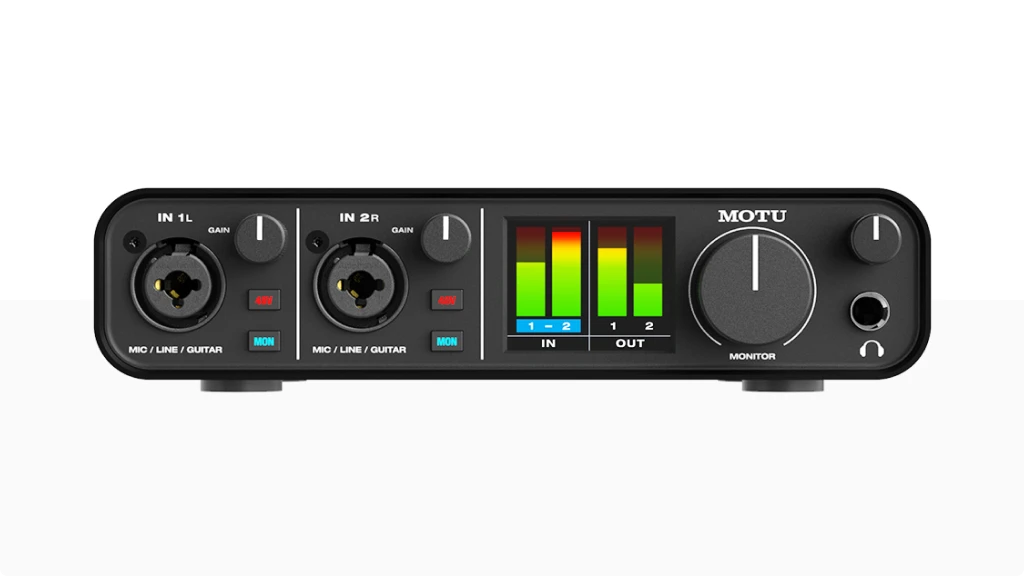
MOTU M2
The MOTU M2 brings professional features and exceptional conversion quality to the budget interface market. Its full-color LCD meters and premium components set new standards in this price range.
| Key Features
- Inputs: 2x XLR/TRS/Hi-Z combo
- Outputs: 2x TRS + 2x RCA (mirrored), 1x Headphone
- Resolution: 24-bit/192kHz
- Compatibility: Windows, Mac, iOS
- Plus: LCD Metering, ESS Sabre DAC, loopback, MIDI I/O, software bundle
| Best for
- Producers requiring precise level monitoring
- Critical listening with ESS Sabre DAC
- Professional mobile recording
- High-resolution mixing projects
- Complex routing scenarios
| Not ideal for
- Users seeking basic recording solutions
- Budget-conscious beginners
- Projects needing ADAT expansion
READ FULL REVIEW
Overview: The M2 always and consistently impress with its professional-grade performance. The ESS Sabre DAC provides exceptional conversion quality, while the full-color LCD meters offer precise visual feedback of levels. The preamps delivered clean, transparent sound with plenty of headroom for demanding microphones.
The build quality is outstanding, with a metal chassis and high-quality components throughout. The loopback feature worked flawlessly for streaming and podcast production, while the direct monitoring provided zero-latency tracking.
🎯 Why to buy:
The MOTU M2 is the perfect budget audio interface for users who need professional features and sound quality in an affordable package. Its combination of premium components, excellent metering, and robust construction makes it ideal for serious recording and mixing work. The intuitive layout and reliable performance make it suitable for both studio and mobile use.
Comparison Table
| Model | Inputs | Outputs | Resolution | Compatibility | Plus |
|---|---|---|---|---|---|
Scarlett 2i2 4th Gen |
2x XLR/TRS combo |
2x TRS, 1x HP |
24-bit/192kHz |
Win/Mac/iOS |
Air Mode, Auto Gain, Loopback |
Volt 176 |
1x XLR/TRS combo |
2x TRS, 1x HP |
24-bit/192kHz |
Win/Mac/iOS |
Vintage Preamp Mode, Compressor, MIDI I/O |
U-Phoria UM2 |
1x XLR, 1x TRS |
2x RCA, 1x HP |
16-bit/48kHz |
Win/Mac |
Direct Monitor, Phantom Power |
M-Track Duo |
2x XLR/TRS combo |
2x TRS, 1x HP |
24-bit/48kHz |
Win/Mac |
USB-C, Crystal Preamps |
U-Phoria UMC202HD |
2x XLR/TRS combo |
2x TRS, 1x HP |
24-bit/192kHz |
Win/Mac |
MIDAS Preamps |
PreSonus Studio 24c |
2x XLR/TRS combo |
2x TRS, 1x HP |
24-bit/192kHz |
Win/Mac/iOS |
MIDI I/O |
Scarlett Solo 4th Gen |
1x XLR, 1x TRS |
2x TRS, 1x HP |
24-bit/192kHz |
Win/Mac/iOS |
Air Mode, Auto Gain |
MiniFuse 2 |
2x XLR/TRS combo |
2x TRS, 1x HP |
24-bit/192kHz |
Win/Mac/iOS |
USB Hub, MIDI I/O |
Audient iD4 MKII |
1x XLR, 1x TRS |
2x TRS, 2x HP |
24-bit/96kHz |
Win/Mac/iOS |
ScrollControl, Console Preamp, ADAT and SPDIF support |
MOTU M2 |
2x XLR/TRS combo |
2x TRS, 1x HP |
24-bit/192kHz |
Win/Mac/iOS |
LCD Metering, ESS Sabre DAC, Loopback, MIDI I/O |
Honorable Mentions: Best Affordable Picks
Discover the best audio interface under 100 with our top 5 best budget choices. Compare features, pros, and cons to find the perfect fit for your needs.
Audio interfaces at this price range often have limitations and their main objective is to balance functionality and simplicity, making them perfect for beginner musicians, podcasters, and streamers, but maybe they won’t be enough for more experienced creators.
The interfaces presented in this article will be sorted by affordability, in a scale that goes from:

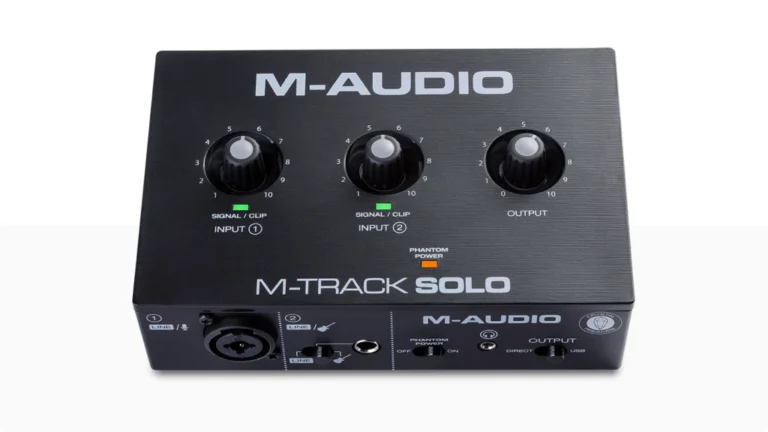
M-Audio M-Track Solo
The M-Track Solo stands out as an interesting audio interface that provides good value for money. It offers versatility and solid performance at a good price, making it a good choice for creators who value sound quality but also their budget.
| Key Features
- Inputs: 1x XLR/TRS combo + 1x Hi-Z instrument
- Outputs: 2x RCA + 1x headphone
- Resolution: 24-bit/48kHz
- Compatibility: Mac, PC, iOS
- Highlights: Crystal preamp, direct monitor, phantom power, software bundle
| Pros
- Excellent sound quality for the price
- Simple plug-and-play setup
- Includes free software bundle
- iOS compatibility for mobile recording
| Cons
- Limited resolution compared with more advanced models
- No MIDI I/O
Overview: For creators looking for an affordable option, the M-Track Solo offers great value. It includes an XLR combo input with phantom power and one ¼” Hi-Z instrument input, allowing for simultaneous recording of instruments and vocals.
Its 48 kHz/16-bit resolution is limited, but it will do a good job of recording with enough clarity and depth for web projects or instrument practice, making it suitable for musicians, podcasters, and streamers.
The interface’s rugged construction and portability make it a durable piece of equipment for recording on the go. Plus, it comes with Pro Tools First and MPC Beats plugins, giving you the software tools to get started right away.
While its resolution limitation may not appeal to intermediate or advanced producers, it’s a fantastic option for aspiring creators.
The M-Track Solo balances features and price very well. With its good quality Crystal Preamp, bundled software, and robust build, it is a fair choice for creators on a budget.
READ FULL REVIEW
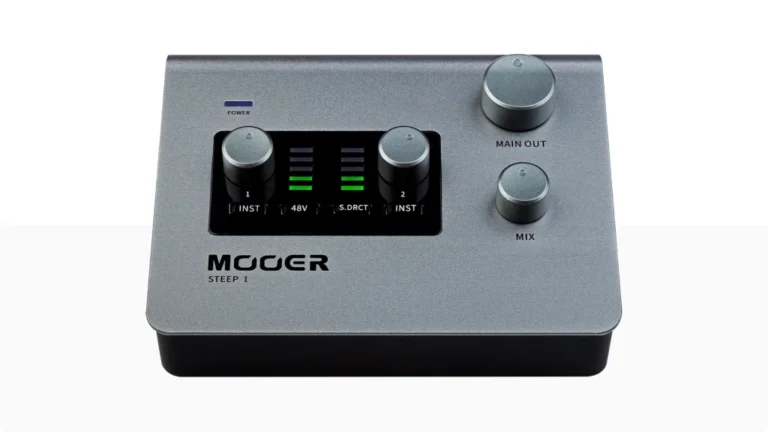
MOOER Steep Ⅰ
MOOER Steep Ⅰ redefines the term ‘cheap’ without sacrificing sound quality. In this small box you’ll find more than the basic features that you need to start recording, practicing your instrument or streaming.
| Key Features
- Inputs: 1x XLR/TRS combo + 1x Hi-Z instrument
- Outputs: 2x TRS balanced + 1x headphone
- Resolution: 24-bit/192kHz
- Compatibility: PC, Mac, IOS, Android
- Highlights: USB-C connectivity for MIDI instruments, stereo direct monitor
| Pros
- High resolution 192kHz for the price range
- Possible to connect MIDI controllers
- Extended connectivity
- Intuitive interface with digital 5-level display light
| Cons
- Side inputs can be an inconvenience
Overview: MOOER Steep I is a great way for you to start your home studio as musicians, producers or streamers. It’s a high-quality audio interface supporting high-resolution audio up to 24bit/192 kHz and offering one combo XRL, one high-impedance instrument input, USB-C port for power and one USB-C port for data transfer and MIDI instruments.
Need more? Steep I include dual LED input level indicators, support for 48v phantom power, stereo direct monitoring, and all the knobs you need to control the main outputs, like mix and gain levels.
If you need a high-resolution one input mic or if you are a guitar player, these unit have you covered. MOOER Steep I is a versatile interface with great connectivity, good usability and good cost benefit.
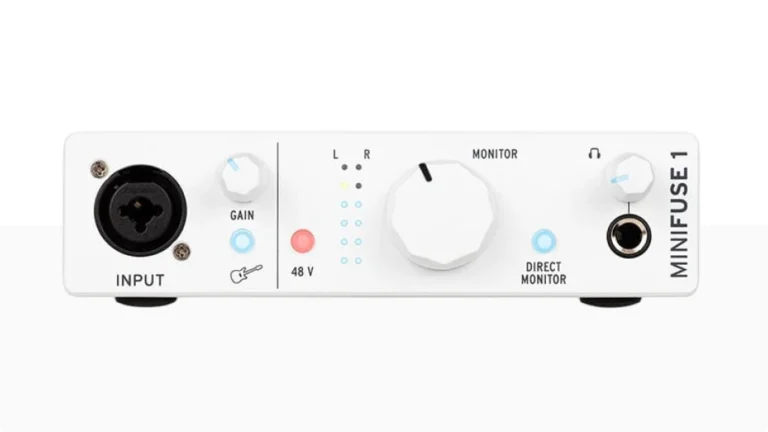
Arturia MiniFuse 1
MiniFuse 1 blends style (c’mon this little thing is cute!) and performance in one compact interface. It offers high-resolution and the main features that you need, including USB-A for MIDI instruments and an impressive software bundle.
| Key Features
- Inputs: 1x XLR/TRS combo
- Outputs: 2x TRS balanced + 1x headphone
- Resolution: 24-bit/192kHz
- Compatibility: macOS, Windows, iPad and iOS
- Highlights: USB-A for MIDI instruments, direct monitor, software bundle
| Pros
- High-resolution and low latency control
- USB type A for MIDI instruments
- Really amazing and intuitive design
- Robust software bundle
- 5-years warranty
| Cons
- Slightly pricier than alternatives
- Limited to 1 combo input
Overview: The MiniFuse 1 is an outstanding powerhouse, compatible with Mac and PC, iOS and iPad, designed for those who demand style and substance. Featuring a one combo input combo with 48V phantom power, two 1/4″ TRS balanced line outputs and one headphone output with volume control. Don’t forget the USB type A port (250mA) that allows you to plug and play your MIDI controllers, synths and drum machines.
It includes a robust software bundle, featuring Ableton Live Lite and Arturia’s Analog Lab plus many other virtual instruments, offering a complete creative toolkit for musicians, streamers and podcasters. Its low-latency monitoring and intuitive controls make it a great choice for recording, practicing instruments or streaming, a really accessible choice for beginners and experienced creators.
Cute little thing with a lot of power and versatility, a great software package. The MiniFuse 1’s portable and reliable performance makes it ideal for creators looking for a stylish solution at a good price.
READ FULL REVIEW
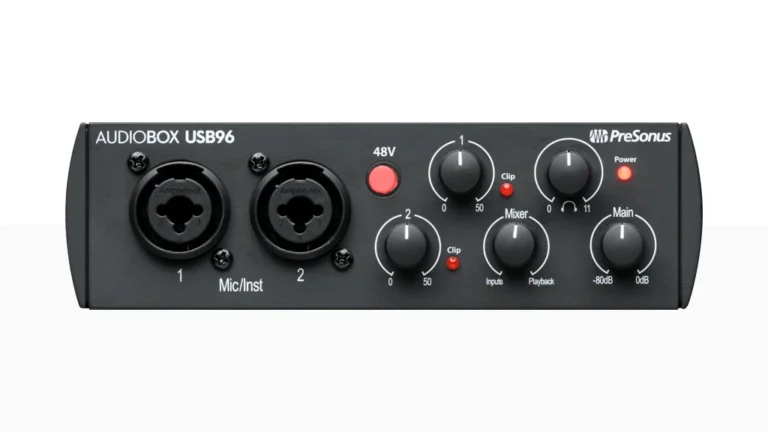
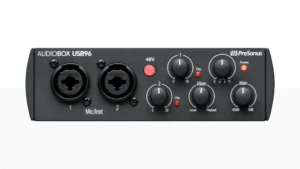
PreSonus AudioBox USB 96
The AudioBox USB 96 audio interface has what is needed to start recording right away. The two combo XLR inputs, two balanced line-level outputs and MIDI I/O make the AudioBox USB 96 an affordable solution for any creator.
| Key Features
- Inputs: 2x XLR/TRS combo
- Outputs: 2x TRS balanced + 1x headphone
- Resolution: 24-bit/96kHz
- Compatibility: macOS, Windows, iPad and iOS
- Highlights: MIDI I/O, direct monitor, software bundle
| Pros
- Dual combo inputs
- Professional resolution
- MIDI I/O
- iOS and iPadOS compatibility
| Cons
- Front panel usability could improve
- 6-months limited software bundle
Overview: With two combo XLR inputs and MIDI I/O, the AudioBox USB 96 is a great stereo-recording solution for streamers, co-hosts podcasts and guitar and bass jams. A direct monitoring blend control lets you balance the level between the computer input and playback eliminating latency.
Featuring professional-quality preamps and phantom power, two balanced TRS ¼ outputs for studio monitors and studio-grade converters allow for up to 24-bit/96 kHz recording and playback. With a durable heavy-duty steel chassis, it’s compatible with PC, Mac, iOS and iPadOS devices.
It comes with 6-months of Studio One Pro+ and Studio Magic Suite bundle for a complete recording solution so you can get recording right away.
It’s a great package with excellent core features and expanded connectivity if want to go mobile, paired with its rugged build AudioBox USB 96 is ready to go wherever you need it.
READ FULL REVIEW
How to Choose a Budget Audio Interface
Let’s understand what matters most when selecting a budget audio interface. I already know the drill so I’m make easier for you. I’ve identified the key factors that make the difference between a good purchase and a regrettable one.
| Feature | M-Audio M-Track Solo | MOOER Steep I | Arturia MiniFuse 1 | PreSonus AudioBox 96 |
|---|---|---|---|---|
Inputs |
1 XLR/TRS + 1 Inst |
1 XLR/TRS + 1 Inst |
1 XLR/TRS combo |
2 XLR/TRS combo |
Outputs |
RCA + 1x headphone |
TRS + 1x headphone |
TRS + 1x headphone |
TRS + 1x headphone |
Resolution |
24-bit/48kHz |
24-bit/192kHz |
24-bit/192kHz |
24-bit/96kHz |
Compatibility |
PC, Mac, iOS |
PC, Mac, iOS, Android |
PC, Mac, iOS, iPad |
PC, Mac, iOS |
Software Bundle |
MPC Beats DAW , 80 AIR, ReValver |
No |
Ableton Live Lite, Analog Lab Intro, Guitar RIG 6 LE, Auto-Tune Unlimited Trial and Splice Creator Plan. |
6-months of Studio One Pro+ and the Studio Magic Suite software bundle |
Choosing an audio interface under 100 doesn’t mean sacrificing quality. Whether you’re a beginner, value-seeker, or mobile creator, there’s an option for you.
No matter your preference, these interfaces deliver exceptional value for solo creators, streamers, and podcasters.
How to Choose a Budget Audio Interface
Let’s understand what matters most when selecting a budget audio interface. I already know the drill so I’m make easier for you. I’ve identified the key factors that make the difference between a good purchase and a regrettable one.
Consider Your Recording Needs
First and foremost, think about what you’ll be recording. Therefore, ask yourself:
- How many inputs do you need simultaneously?
- Will you be recording microphones, instruments, or both?
- Do you need MIDI connectivity?
For instance, if you’re a podcaster or solo musician, a single-input interface might be sufficient. However, if you’re recording acoustic guitar and vocals simultaneously, you’ll need at least two inputs. Similarly, a streamer might prioritize good microphone preamps and loopback features over multiple inputs.
Understanding Key Specifications
While specifications aren’t everything, certain features directly impact your recording experience:
Preamp Quality: The preamp is your signal’s first stop, and consequently, it significantly affects your sound quality. Look for:
- Clean gain (at least 50dB for dynamic microphones)
- Low noise floor
- Phantom power for condenser microphones
Audio Resolution: Most modern interfaces offer at least 24-bit/48kHz resolution, which is perfectly adequate for most users. While higher sample rates like 96kHz or 192kHz are nice to have, they’re not crucial for typical home recording or streaming.
Direct Monitoring: This feature allows you to hear yourself without latency while recording. It’s particularly important for vocalists and musicians who need to perform while recording.
Build Quality: A robust build ensures longevity. Look for:
- Metal construction over plastic
- Solid knobs and switches
- Quality input/output jacks
Software Bundle: Many interfaces come with valuable software:
- DAW (Digital Audio Workstation)
- Virtual instruments
- Effects plugins
- Utility software
Final Thoughts: Finding Your Best Budget Audio Interface
I’m sure that now it’s clear that the budget audio interface market offers impressive options for every need. The Focusrite Scarlett 2i2 4th Gen stands out as our top pick, delivering professional features at a reasonable price point.
However, for those on a tighter budget, the Behringer U-Phoria UMC202HD offers remarkable value, while the Universal Audio Volt 176 provides premium features for those willing to spend a bit more.
Consider your specific needs: If you’re primarily recording vocals, the Focusrite Scarlett Solo 4th Gen or Audient iD4 MKII will serve you well.
For streaming and content creation, the PreSonus Studio 24c or Arturia MiniFuse 2 offer excellent features. The MOTU M2’s exceptional conversion quality makes it perfect for critical listening and mixing.
If you are on a very tight budget, we recommend checking out our full list of the best audio interfaces under 50 and best audio interfaces under 100, where we test the ultra-budget options. Also, you can check the best audio interface under 200 and the best audio interface under 500.
FAQ
What's the difference between cheap and expensive audio interfaces?
The main differences lie in preamp quality, conversion accuracy, and additional features. However, budget interfaces have improved significantly in recent years. While professional studios might benefit from more expensive options, the interfaces in this guide offer excellent quality for home studios, streaming, and content creation.
What's the best budget audio interface for beginners?
The M-Audio M-Track Duo stands out as an excellent choice for beginners. It offers an intuitive layout, clear metering, and solid build quality at an affordable price point. The included software bundle also provides everything needed to start recording immediately.
Do I need a 192kHz audio interface for streaming?
No, for streaming purposes, 48kHz is more than sufficient. While many budget audio interfaces offer 192kHz sampling rates, this is primarily beneficial for professional music production and mixing. For streaming and podcasting, focus on preamp quality and ease of use rather than maximum sample rates.
Read: Focusrite Vocaster One: Best Audio Interface for Podcasters
Can I use these budget audio interfaces with an iPad?
Several of our recommended interfaces, including the Focusrite Scarlett series, Universal Audio Volt, and MOTU M2, are iPad-compatible. However, you’ll need the appropriate USB adapter and, in some cases, a powered USB hub for optimal performance.

| ALSO REVIEWED